
Alignment Integration / Student Pal
a packaged product, not a build
Your outlines already hold the whole term. This pulls it out.
An outline buries the term in a grading table, a weekly schedule, and a sentence halfway down the page. Five outlines bury it five times over. Paste them in and get one list, earliest first, with what each item is worth.
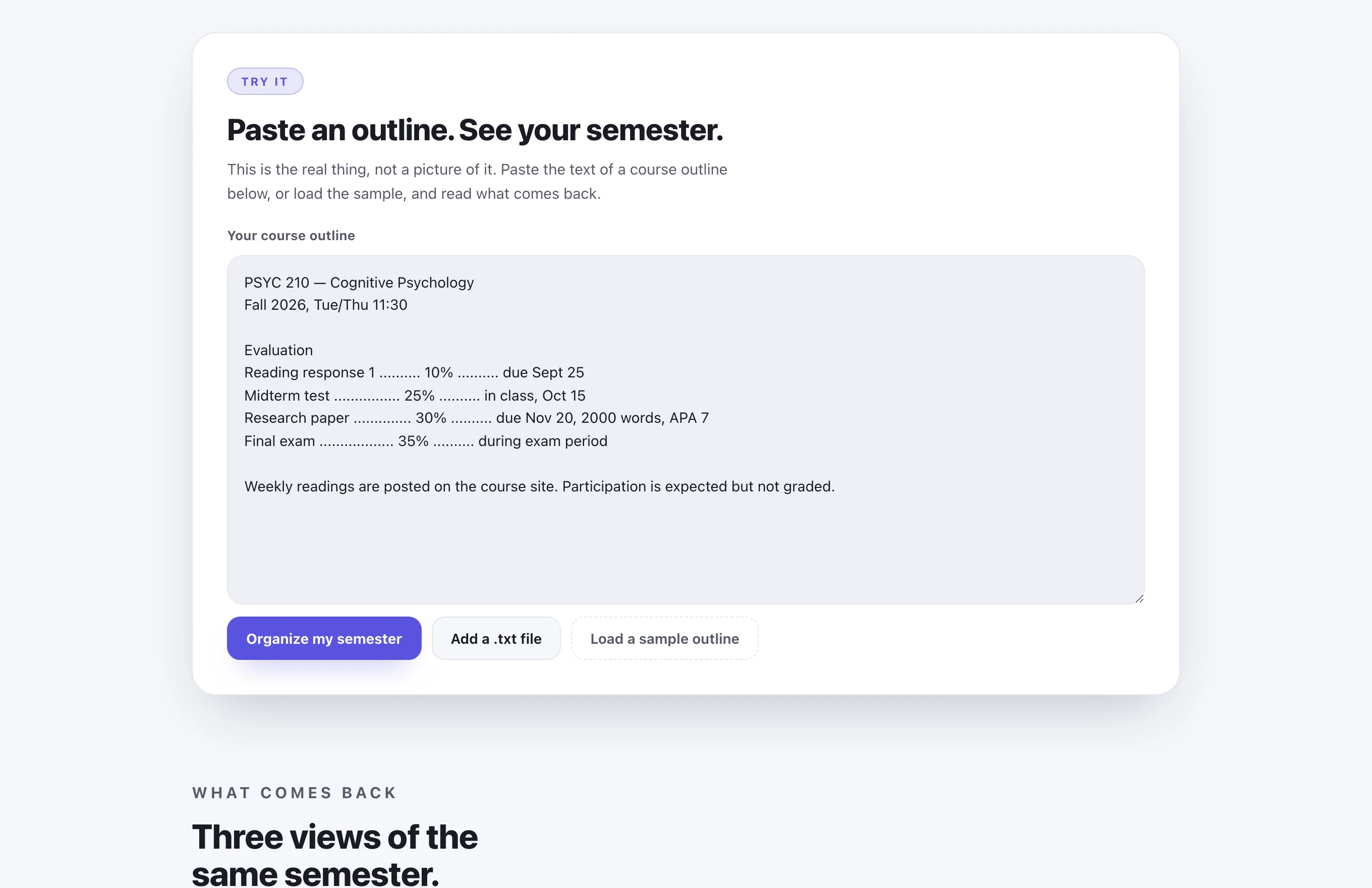
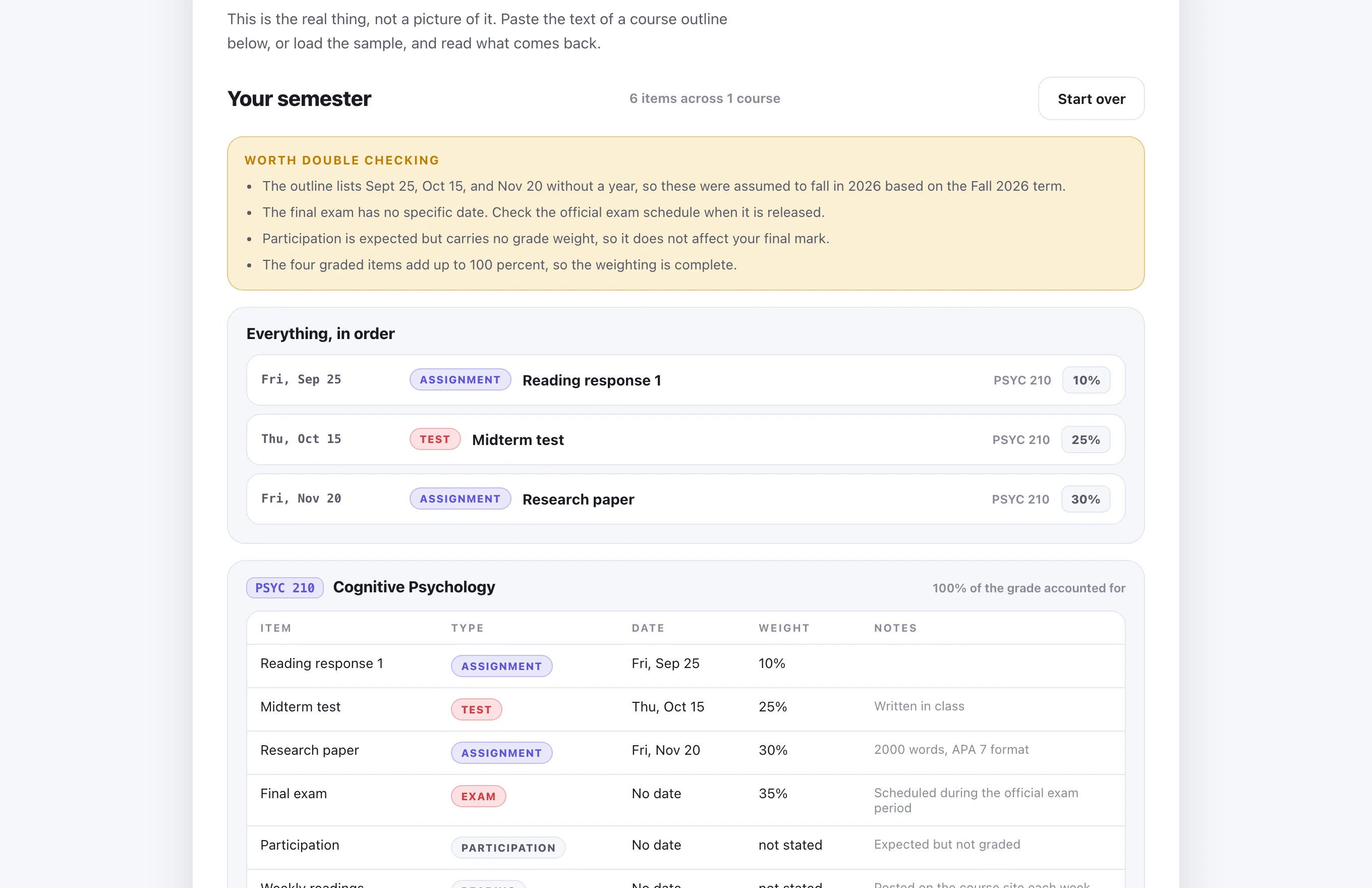
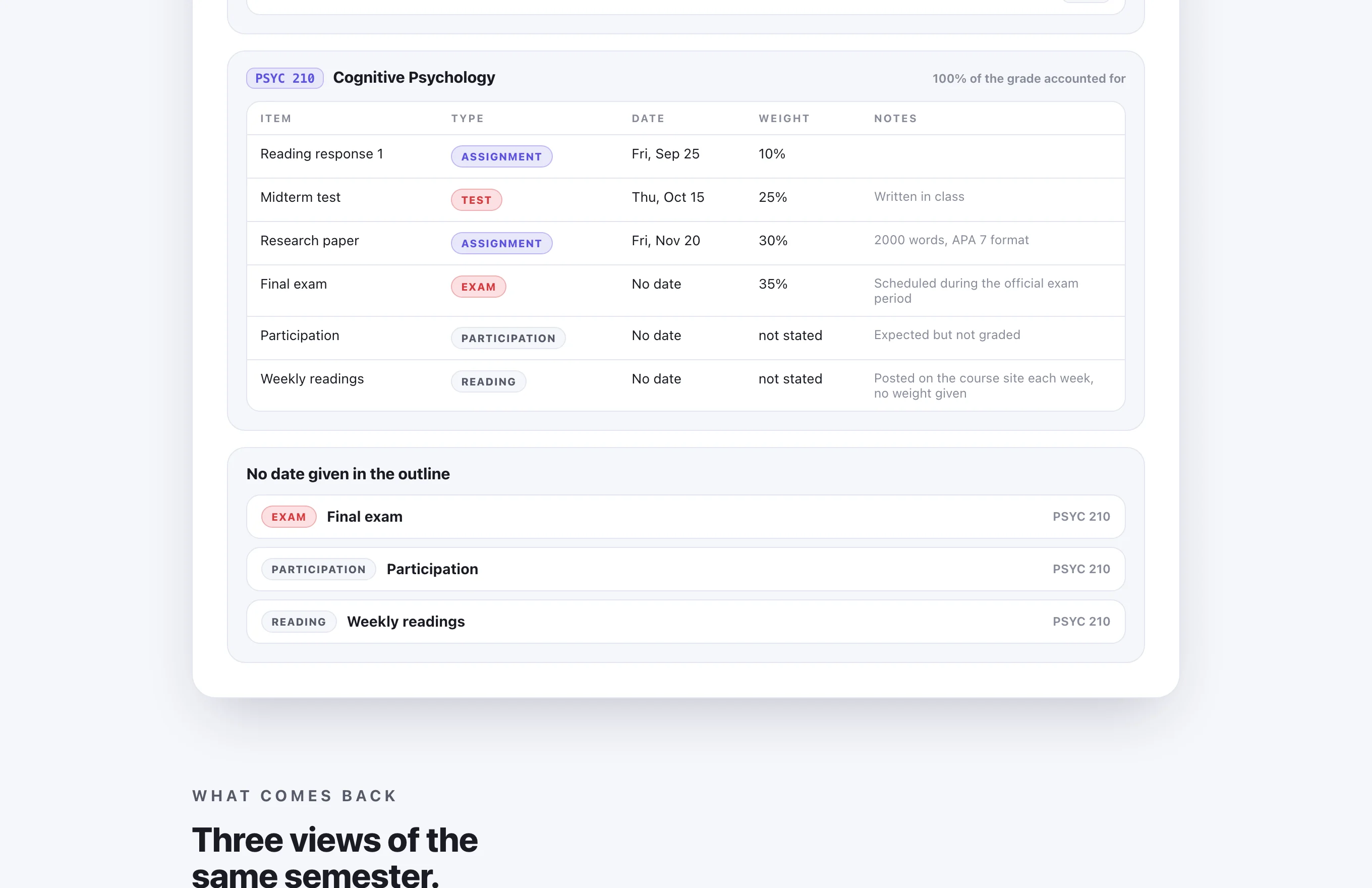
From the setup step, where outlines go in once. The demonstration above shows the term already in progress.
01
What it does
This one is a product you would use, not a system we build for your institution. Different shape, same engine underneath.
-
one
Paste the outline
One course or all of them at once. The grading table, the due dates and the weekly schedule are the parts that carry the term.
-
two
It reads rather than guesses
Every graded or dated line becomes one item, with its title, its type, its due date, and what it is worth.
-
three
One order, and a table per course
Items from every course merge into a single timeline, earliest first. Each course also keeps its own table, so you can see where the grade actually sits.
-
four
It flags instead of filling in
Weights that do not add to a hundred, items with no date, wording that could mean two things. Those come back as questions rather than invented answers.
early build
Student Pal
The outline reader runs today, and you can put your own outline through it. The rest of the product is being built around it.
waitlist
Hear when the full build ships
Leave an email and you get one message when the rest of Student Pal is ready. Nothing else gets sent.
You are on the list
One message when it ships, to the address you gave.
What we are not claiming: this does not write your assignments and it is not built to. It organizes what your outline already says, and where the outline says nothing it tells you so rather than filling the gap. Check the result against the outline your instructor gave you. Academic integrity is your school's rule, and we do not help you around it. No price on this page yet.
Not what you came for